Choosing the best portable power station is primarily a matching exercise. The most expensive or highest-capacity model is not automatically the right choice. A compact battery may be ideal for charging phones and laptops during travel, while a larger system may be more appropriate for supporting essential household equipment during an outage. The right decision depends on the devices you need to run, how long you need to run them, how quickly the unit can recharge, and how easily you can store and move it.
This guide explains how to compare portable power stations using practical specifications rather than headline numbers alone. It covers battery capacity, output power, startup surges, charging methods, portability, safety, and emergency planning. It also includes a note about the supplied product listing so that category information is not confused with verified power-station specifications.
Begin with your actual use case
Before looking at individual models, identify how you expect to use a power station. Most buyers fall into one or more of these groups:
- Personal electronics: Phones, tablets, laptops, cameras, lights, and small accessories.
- Outdoor recreation: Camping, tailgating, remote work, photography, and outdoor events.
- Travel and vehicle use: Charging devices away from an outlet or supporting equipment on a road trip.
- Home backup: Keeping lights, communications equipment, networking devices, and selected appliances running during an outage.
- Emergency preparedness: Maintaining access to essential equipment when grid power is unavailable for an uncertain period.
Each use case emphasizes different characteristics. A traveler may prioritize low weight and a compact footprint. A home user may care more about battery capacity, continuous AC output, and recharge speed. Someone planning to use solar panels may need a suitable solar input range and compatible connectors.
Write down the devices you expect to connect before comparing products. Separate them into essential, useful, and optional loads. This prevents you from paying for capacity that does not solve a real problem.
Make a device and energy list
Your list should include the device, its approximate power demand, and how long you expect to use it. The information may appear on the device label, power adapter, user manual, or manufacturer website.
| Device | Typical priority | Approximate demand | Expected use |
|---|---|---|---|
| Phone charger | Essential | Check charger label | Several short charging sessions |
| Laptop | Essential or useful | Check power adapter | A work session |
| Router | Essential for connectivity | Check adapter | Several hours |
| LED light | Essential | Check label | Evening or overnight use |
| Fan | Useful or essential | Check label | Several hours |
| Refrigerator | Situation-dependent | Check documentation | Cycling operation |
| Medical equipment | Essential | Verify with manufacturer | Follow equipment requirements |
The figures in this table are placeholders for planning. Always verify the requirements of your own equipment. A power station that can charge a laptop may not be suitable for a refrigerator, pump, heater, microwave, or power tool.
Some devices use relatively little power once running but require a much larger burst when starting. Refrigerators, compressors, pumps, and motor-driven tools are common examples. If you need to operate one of these devices, check both its running wattage and startup or surge demand.
Understand capacity versus output
Two specifications determine whether a power station can do its job: stored energy and available power.
Battery capacity affects runtime
Battery capacity is commonly expressed in watt-hours. It represents the amount of energy stored in the battery under stated testing conditions. A larger watt-hour figure generally means longer runtime, but actual results vary because of conversion losses, battery condition, temperature, output type, and the behavior of the connected device.
A basic runtime estimate is:
Estimated runtime = battery capacity × usable efficiency ÷ device wattage
The usable efficiency factor accounts for energy lost as the battery’s stored DC power is converted into the output required by the device. Do not assume that every watt-hour printed on the box will reach your equipment.
For example, a device using 50 watts for six hours requires approximately:
50 watts × 6 hours = 300 watt-hours
A power station with more than 300 watt-hours of rated capacity would be needed because the conversion process consumes some energy. If several devices will operate together, calculate each load and add the results.
A practical margin is useful. Real-world usage may be higher than your estimate, and you may want reserve capacity for unexpected needs. However, buying the largest battery available can create unnecessary weight, cost, and storage challenges.
Output power affects compatibility
Output power determines whether the station can run a device at all. Look for:
- Continuous output: The power level the station can provide for sustained operation.
- Peak or surge output: The higher level it may provide briefly during startup.
- Port-specific limits: Restrictions that apply to particular AC, USB, or DC outputs.
- Total output limits: The maximum combined power available when multiple ports are used.
A station may have a large battery but a relatively modest inverter. That configuration could provide long runtime for low-power electronics while being unsuitable for a high-demand appliance. Always compare the appliance’s continuous and startup requirements with the station’s ratings.
Select an appropriate size
Portable power stations are often described as compact, mid-size, or large. These labels are not standardized, so use them as broad descriptions rather than strict technical categories.
Compact systems
Compact units are generally best for phones, tablets, cameras, lights, laptops, and other modest loads. Their main advantages are convenience and portability. They may fit easily in a vehicle, backpack, or small storage area.
Consider a compact system when:
- You mainly need USB or low-wattage AC charging.
- You expect to carry the unit frequently.
- Your trips are short.
- You do not need to operate appliances with motors or heating elements.
- Fast setup and easy storage matter more than extended runtime.
The limitations are equally important. A compact station may not support a refrigerator, kettle, heater, cooking appliance, or power tool. It may also run out of energy quickly if several devices are used simultaneously.
Mid-size systems
Mid-size units can provide a useful balance between portability and capability. They may suit longer camping trips, remote work, outdoor events, and basic household backup. They often provide a broader selection of ports and enough capacity for several electronics over a longer period.
When comparing mid-size options, check whether the AC inverter can support your priority device while other ports are in use. Also compare the unit’s weight, handle design, recharge time, and total output limit. A model that looks versatile on paper may be less useful if its ports cannot deliver power concurrently.
Larger systems
Large power stations are intended for extended runtime, higher output, or both. They may be better suited to home backup and demanding equipment, but they are heavier, more expensive, and more difficult to position.
A larger unit can make sense when:
- You need to operate essential devices for many hours.
- Several loads must run at once.
- Your equipment has higher continuous or startup demand.
- You want compatibility with expansion batteries.
- You have a secure location for storage and operation.
Capacity should solve a defined requirement. If you only need to charge a phone and laptop during occasional trips, an oversized system may reduce convenience rather than improve it.
Compare charging methods
A power station is only useful if you can recharge it in the situations where you expect to need it. Review every charging method that matters to your routine.
AC wall charging
Household AC charging is often the fastest and simplest way to prepare a station before a trip or storm. Compare published recharge times and determine whether the unit can recharge during the time available to you.
A fast recharge can be especially valuable when outages are intermittent. If power returns for only a few hours, a station that accepts higher charging input may restore more usable energy before the next interruption.
Vehicle charging
Vehicle charging can be helpful during travel or after a grid outage. Check whether the required cable is included, whether the input is compatible with your vehicle, and how long charging is expected to take.
Place the station securely while driving. Do not allow cables to interfere with vehicle controls, and follow both the vehicle manufacturer’s instructions and the power station’s guidance.
Solar charging
Solar compatibility can improve resilience, but solar charging is variable. Actual performance depends on sunlight intensity, cloud cover, panel angle, shade, temperature, cable losses, and the power station’s permitted input voltage and current.
Before purchasing a solar-compatible system, verify:
- The supported solar input range.
- Maximum solar wattage.
- Connector type.
- Whether an adapter is required.
- Panel compatibility.
- Whether charging can occur while outputs are in use.
A published maximum is not a promise of constant real-world performance. Solar charging should be planned as one part of a backup strategy, not treated as an unlimited source of energy.
Check the ports and operating limits
Port selection matters only when it matches your equipment and intended usage. Look for the connections you actually need:
- AC outlets for compatible household-style plugs.
- USB-A or USB-C ports for personal electronics.
- DC outputs for compatible low-voltage equipment.
- A vehicle-style outlet when required.
- AC, vehicle, or solar charging inputs.
Do not stop at the number of ports. Determine whether they can operate simultaneously and whether using one output reduces the available power elsewhere. Some stations have a maximum combined output that applies across all active ports.
Ask this practical question:
Can the station run my priority devices at the same time without exceeding its continuous or total output rating?
If the answer is unclear, consult the manufacturer’s documentation before purchase.
Evaluate portability and placement
Portability includes more than the number printed on the shipping label. Consider the shape, handle, cable storage, display, wheel design, and the distance you will need to carry the unit.
A station used for camping or travel should be manageable without excessive strain. A home-backup system may be heavier, but it still needs to be moved safely into position and connected when required.
Think about the operating environment:
- Inside a home during a power interruption
- In a vehicle
- At a campsite
- In a workshop
- At an outdoor event
- In a temporary office or remote work area
Keep the station on a stable, dry surface with ventilation openings unobstructed. Do not operate it where it can be exposed to rain, excessive heat, standing water, or impacts unless the manufacturer specifically rates it for those conditions.
Consider battery chemistry and longevity
Battery chemistry can influence weight, cycle life, charging behavior, and storage requirements. Product specifications may identify the chemistry, but the most useful comparison is how the manufacturer defines expected service life and warranty coverage.
Look for clear information about:
- Rated battery cycles.
- Capacity retention expectations.
- Charging temperature range.
- Operating temperature range.
- Storage recommendations.
- Warranty terms.
- Replacement or service options.
Cycle ratings are usually based on specific testing conditions and do not guarantee identical results for every owner. Heat, deep discharge, high output, and long periods of improper storage can affect battery performance.
Follow the manufacturer’s instructions for charging and storage. Avoid using a unit that is swollen, cracked, leaking, unusually hot, or physically damaged.
Prepare for emergency use
A power station should be part of an emergency plan rather than the entire plan. Identify which loads are truly essential and determine how long you may need to support them.
Communication equipment, lighting, networking devices, and medically necessary equipment may deserve priority. You can extend runtime by charging devices in batches, reducing screen brightness, disabling unnecessary wireless features, using efficient lighting, and switching off nonessential loads.
For medical equipment, do not rely on a generic online runtime estimate. Confirm the required power characteristics with the equipment manufacturer or qualified provider and maintain an appropriate backup plan.
Keep charging cables, adapters, and instructions together. Periodically check the station’s charge level and inspect its connectors. A backup product that is discharged, misplaced, or connected to the wrong cable may not be ready when needed.
Avoid common purchasing mistakes
Choosing only by capacity
A large watt-hour rating does not guarantee compatibility with your equipment. Compare continuous output, surge capability, port limits, and recharge options.
Ignoring startup demand
An appliance may exceed the station’s limits for a few seconds even if its normal running wattage looks acceptable. Check startup requirements for motors, pumps, compressors, and tools.
Overlooking recharge time
A station that takes too long to recharge may be inconvenient during repeated outages or frequent travel. Match recharge speed to the time you typically have access to an outlet, vehicle, or solar array.
Assuming every outlet works simultaneously
Review the total output limit and any port-specific restrictions. Several connected devices may cause the system to reduce output or shut down.
Treating solar charging as guaranteed
Clouds, shade, poor orientation, and short daylight periods can substantially reduce charging. Plan for variable conditions.
Buying without verifying the listing
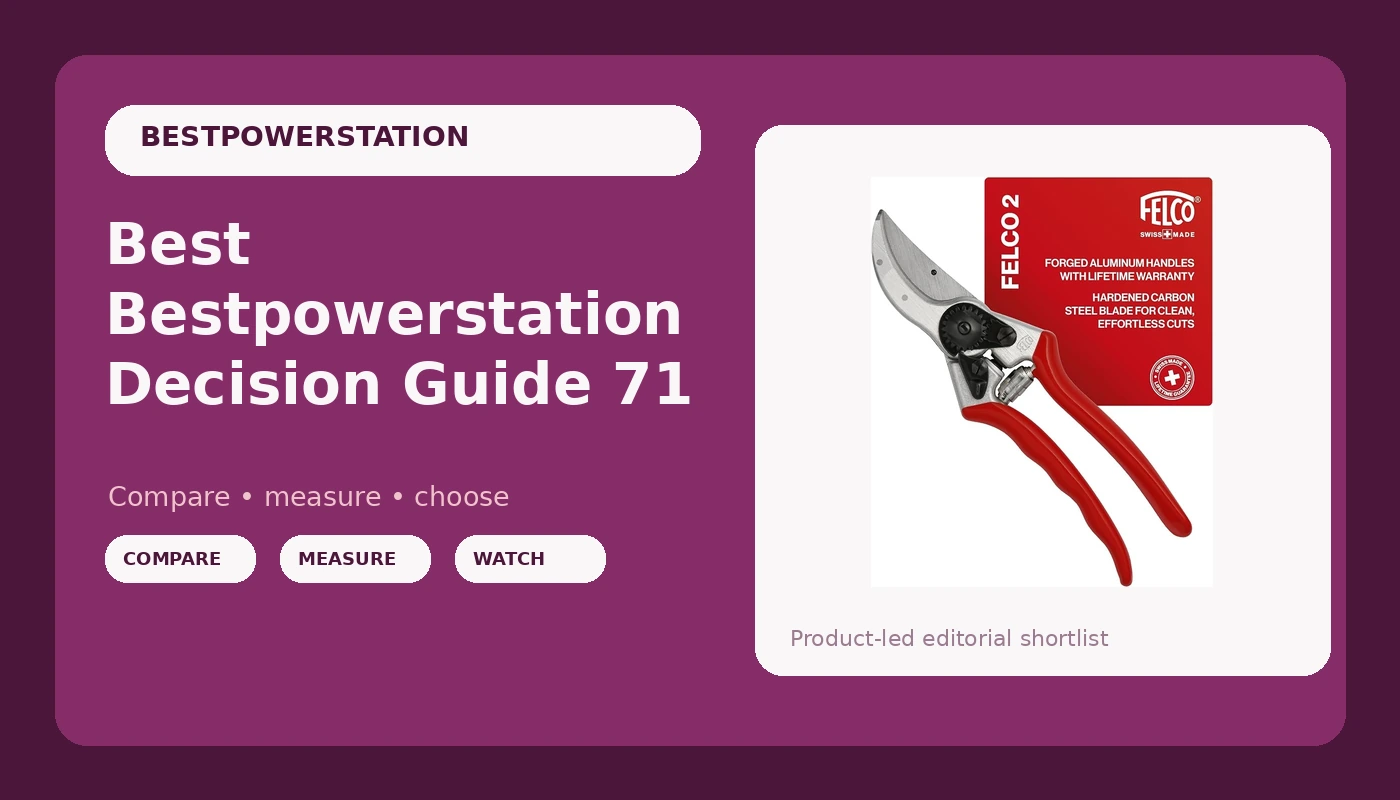
Product titles, images, and category labels can occasionally be inconsistent. Confirm the model name, ASIN, technical specifications, included accessories, warranty, and current seller information before ordering. The supplied listing in this guide identifies a Felco F2 pruning shear rather than a portable power station, so it should not be treated as a verified power-station recommendation without additional confirmation.
A practical decision checklist
Before selecting a model, answer these questions:
- Which devices are essential?
- What is the highest continuous wattage required?
- Will any device have a startup surge?
- How many watt-hours are needed for the expected usage period?
- Which devices must operate simultaneously?
- Do you need AC, USB, DC, vehicle, or solar charging?
- How quickly must the battery recharge?
- How often will you carry the station?
- Where will you store and operate it?
- What temperature, ventilation, and maintenance requirements apply?
- Have you verified the current product listing and specifications?
- Is there enough capacity and output margin for realistic use?
If you can answer these questions, you can narrow the field based on actual needs instead of marketing claims.
Final buying advice
The best portable power station is the one that supports your priority devices, provides enough usable runtime, recharges through methods available to you, and remains practical to store and transport. Start with the load you need to support. Then compare capacity, continuous output, surge capability, ports, recharge time, safety features, and portability.
Choose compact equipment when your main needs are personal electronics and easy transport. Consider a mid-size option when you need a broader mix of devices and longer runtime. Move to a larger system only when its added capacity or output solves a specific home-backup or emergency requirement.
Verify all specifications in current manufacturer documentation before buying. Because the supplied ASIN and product title identify pruning shears rather than a portable power station, verify the listing carefully and do not assume that it provides the power-station functions discussed in this guide.
PRODUCT_TABLE_V2_START

Felco F2 Pruning Shears
Category verification note: The supplied listing identifies pruning shears, not a portable power station. Confirm the product category and specifications before purchase.
ASIN: B00023RYS6
Visit on Amazon →
Provided Product Listing
This supplied ASIN should be checked against the listing title, images, category, and current specifications. It is not presented as a verified portable power station.
ASIN: B00023RYS6
Visit on Amazon →
Verification Before Buying
Use the supplied product page to confirm whether the item matches your intended category. Review the model name, technical details, seller, warranty, and return terms.
ASIN: B00023RYS6
Visit on Amazon →
Listing Details to Confirm
Before relying on this listing for any purchase decision, compare the displayed product with the requirements in this guide and verify that the item is actually the equipment you need.
ASIN: B00023RYS6
Visit on Amazon →
PRODUCT_TABLE_V2_END