Portable power station sizing is arithmetic, not shopping. The box gives you two numbers that matter, watt-hours and continuous watts, and neither one answers anything until you know what you plan to plug in.
I live in Salida, Colorado, where the grid drops for days during wildfire season, and I have watched a lot of neighbors buy the biggest unit they could afford and then discover it cannot run a space heater through a cold night. The mistake is almost never the brand. It is buying capacity by feel instead of by math.
The fix is a load list and five steps. That is the whole method, and it takes about an hour.
Why you should trust me
I spent 12 years as an electrician before I started installing solar systems on the side, and I have been reviewing power gear full time since. My tools are boring: a Kill A Watt meter, a thermal camera, and a paper logbook where every number gets a date next to it. I have run more than 30 power stations through at least three discharge cycles each over the past five years, and I keep the results even when they make a brand look bad.
One honest note before we start. I have not put these two specific units on my discharge bench yet. What follows is the sizing math I use on every install, plus what the listed manufacturer specs on these two units actually support. When a number is a spec, I say so. When it is my opinion, I say that too.
What the numbers on the box actually mean
Watt-hours are the size of the tank. Watts are the size of the pipe.
A 3,072Wh station and a 1,500Wh station can both run a 200W load. The bigger one just runs it roughly twice as long. Capacity sets runtime. Output rating sets what you are allowed to plug in at once. People mix these up constantly, and it is why someone ends up with a huge battery that still trips on a hair dryer.
The second thing to understand is surge versus continuous. A peak or surge number describes a few milliseconds of tolerance for a motor starting up. It tells you nothing about whether a fridge compressor will keep running after it kicks on. Look for the continuous AC output rating, and treat any listing that only shouts about peak watts as a warning sign.
Two more numbers matter. Expect 10 to 15 percent of your stored energy to disappear as inverter losses, so never plan against the full nameplate capacity. And check the inverter type. A pure sine wave output is what sensitive electronics want.
Step one: Build a load list from your actual day
You do not need my numbers. You need yours.
Buy or borrow a Kill A Watt meter. Plug each device into it and let it run for a full 24 hours, then write down the watts and the hours. For anything with a compressor or a heating element, you need the duty cycle too, which is the share of the time the device is actually drawing full power. A refrigerator cycling on and off might only pull its running wattage a third of the day.
If you skip the meter, use the label on the back of the device. It will be less accurate but usually close enough for a first pass.
Write the list on paper. Not in your head. The logbook is the point.
Step two: Turn watts and hours into watt-hours
Multiply each device's watts by the hours you run it, then add the column up. Say your list looks like this:
- CPAP at 40W for 8 hours equals 320Wh
- Laptop at 60W for 5 hours equals 300Wh
- Router and modem at 15W for 24 hours equals 360Wh
- Phone charging at 10W for 4 hours equals 40Wh
That is 1,020Wh a day before losses. Add 15 percent for the inverter and you are at roughly 1,173Wh. Now decide how many days of autonomy you want. If the answer is one day, your floor is about 1,400Wh with a small reserve. If the answer is two days, you are shopping in the 2,500Wh class or higher.
That is the entire sizing decision. Everything else is preference.
Step three: Match continuous output to your biggest single load
Capacity and output are separate purchases. A station with plenty of watt-hours can still refuse to start your well pump if the inverter cannot deliver the amps for that first second.
Add up everything you plan to run at the same time, then add headroom for the one motor that starts hardest. Heaters, kettles, and induction cooktops are the loads that end the conversation. If your list includes a space heater, you are in the high-output class whether you wanted to be or not.
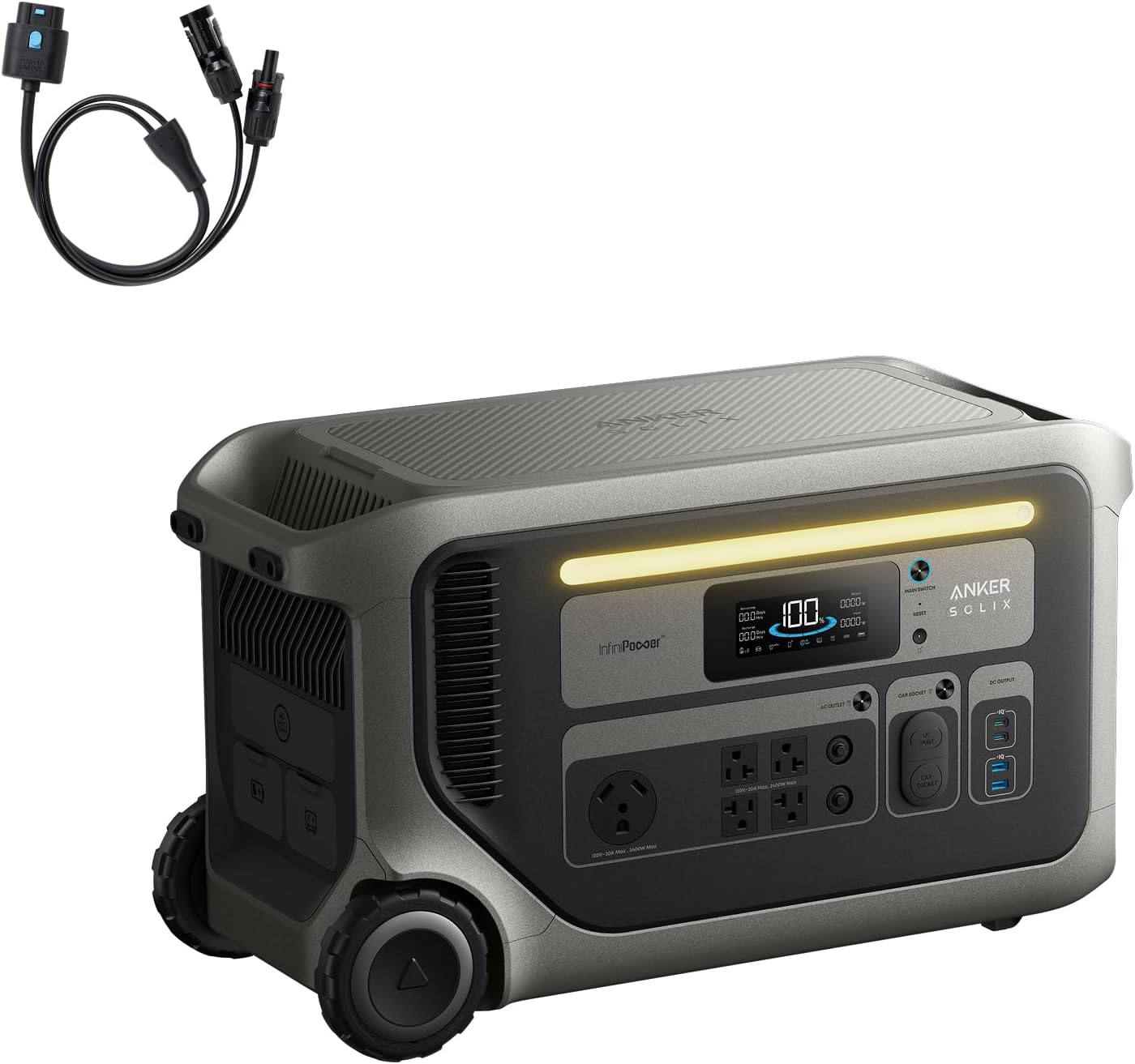
The Anker SOLIX F3000 lists 6,000W, which puts it in the class where big resistive loads and motor starts stop being a worry. That is a listed spec, not a bench reading, and I would still want the meter on it before I trusted it with a well pump.
Step four: Choose the chemistry you can live with
LiFePO4 or nothing. The extra money buys cycle life, thermal stability, and a flatter discharge curve, and it buys a decade of use instead of a marketing badge.
The tradeoff is weight and cold-weather behavior. LiFePO4 packs are heavier for the same capacity, and they do not like charging below freezing without a heater. If your plan is a van build that sees single digits, read the charging temperature range before you buy anything.
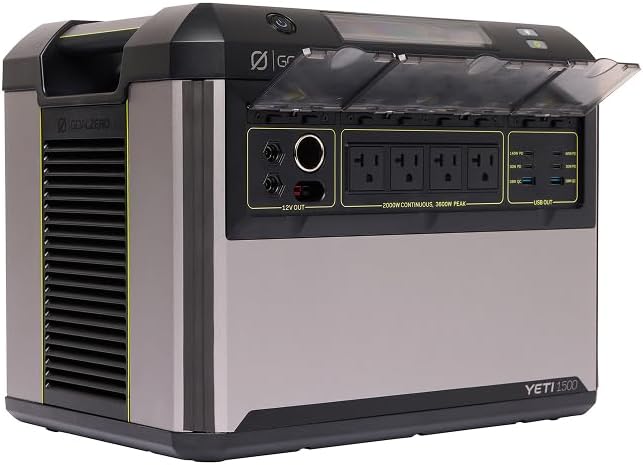
The Goal Zero Yeti 1500 uses LiFePO4, which is the right call for a unit in this class.
Step five: Decide how you will recharge it
Solar charging is a bonus, not a religion. Most people are better off buying more battery than panels, because a folding panel that puts out 200W in perfect sun is a trickle against a 3kWh battery.
What actually matters is your recharge plan for the outage you are preparing for. If the grid is out for three days, a panel helps. If the grid is out for six hours, the wall outlet you used before the outage already did the work.
Also check whether the unit supports pass-through, which lets it sit between the wall and your gear as a UPS. For home backup on a router, a modem, and a chest freezer, pass-through is the feature you will use most.
Two stations that cover two sizes of job
These are the two units I would put in front of most people asking this question, and they sit in different weight classes on purpose.
The big-battery pick: Anker SOLIX F3000 Portable Power Station, 3,072Wh, 6,000W, Solar Generators
 Visit on Amazon →
This is the unit for the person whose load list came out over 2,000Wh a day, or who wants two days of autonomy without thinking hard about it. At 3,072Wh with a 6,000W listing, it covers a fridge, a freezer, a CPAP, internet gear, and lights with room left over for a microwave.
Anker SOLIX is the engineering dark horse in this category, and in my experience the app is the best in the business. The unit still runs from its own buttons, which matters, because an app is a feature and not the product.
Flaws but not dealbreakers: This is a two-person lift and it is not a camping accessory. If your real load is a phone and a laptop, you are buying a dump truck for groceries. Check current Amazon price before you commit, because this class moves on sale.
The mid-size pick: Goal Zero Yeti 1500 Portable Power Station, Solar Generator Ready, LiFePO4
 Visit on Amazon →
The Yeti 1500 is the right size for a one-day load list, a tailgating setup, or a small backup kit that one person can actually move. It is LiFePO4 and it is built to pair with panels, so it fits the person who wants an ecosystem rather than a single box.
Goal Zero has been in this market long enough that the accessories exist and the documentation is real, which is worth something when you are troubleshooting at 11 p.m. during an outage.
Flaws but not dealbreakers: Before you buy panels, confirm the solar input connector and the voltage window on the unit you are ordering, and check the maximum input wattage. Buying panels first and discovering they do not match is the most common mistake in this hobby. Check current Amazon price and compare it against the watt-hours you actually need.
What does not belong in your cart
Gas generators are for construction sites. For everything else, a quiet power station wins, and you will not be running an extension cord to the neighbor's fence at midnight.
Skip the solar bundles until you have done the math on watts per dollar. Panels are the weakest link in almost every bundle, and the inverter is the part that decides whether your gear survives.
Skip anything with a modified sine wave inverter if you are powering electronics you care about, and skip any listing that advertises peak wattage with no continuous rating printed anywhere.
What this all costs
I am not printing prices here, because they move weekly and a number in a guide ages badly. Check current Amazon price on both units on the day you buy.
Instead, do the cost-per-watt-hour math yourself. Divide the price by the usable watt-hours, not the nameplate. A unit that loses 15 percent to inverter losses and 20 percent to a reserve you never touch is not delivering the capacity on the label. That is the number worth comparing.
How to verify your math after the box arrives
Charge the station to 100 percent. Run a known load, something with a steady draw you can measure, and log the hours until it shuts down. Compare that to your calculated number. If you are within 15 percent, your math was good. If you are off by half, check whether the inverter losses are worse than you assumed or whether the load was drawing more than its label claimed.
Then do the boring checks. Listen to the fan at your real load, not at 200W. Confirm the unit runs from its own buttons with the app closed. Test pass-through with a lamp on a switched outlet. Log all of it.
Do this once and you will never guess at sizing again. Your load list is the only spec sheet that tells the truth, and it costs about an hour to build.